
Cabinet Project in ChatGPT and Claude
Open the listing, click Connect and sign in with your Cabinet Project account. The ChatGPT listing is available in the United States.
Cabinet Project has a connector for AI assistants. Once you connect it and sign in with your Cabinet Project account, you can ask ChatGPT, Claude or another assistant that supports remote MCP servers about your own work, in plain words, from your phone or computer.
1. What you can ask
- Quotes: "Which quotes did I send this week that are not accepted yet?" or "What was the total on the Carter kitchen quote?"
- Follow-ups: "Which sent quotes expire in the next 7 days, and who do I call?" The assistant lists them soonest first, with the client's phone and the link to the quote in the app. "Which accepted quotes are not ordered from the manufacturer yet?" lists what was sold and still has no order, longest waiting first.
- Jobs: "Where is the Carter job? Did the Fabuwood order ship, and when is the install?" The answer covers the stage, the order to the manufacturer with its ETA, open claims for missing or damaged boxes, the next install date and open punch list items.
- Installs this week: "Which installs do I have this week, and are the cabinets here?" The assistant lists the installs on the schedule, opens each job's order with its ETA and what has arrived box by box, and gives the link to open the job or order in the app. Compare the ETA with the install date there. Nothing is changed or sent.
- Catalog and prices: "What does an SB36 cost in Allure Galaxy Frost?" or "Which wall cabinets 30 inches wide do we carry in shaker white?"
- Estimates: "Ballpark a kitchen with 14 feet of base, 10 feet of wall and one pantry in Ice White Shaker." The estimate uses the same linear foot method as the app.
2. What it does not do
- It never creates, changes, sends or deletes anything. Quotes, orders, claims and invoices are still made in the Cabinet Project app.
- Prices are your selling prices. Your cost, multipliers and margins are never sent to the assistant.
- It follows your role in the company: a team member who cannot see prices or quotes in the app cannot see them through the assistant either.
- It only reads your own company. Nothing about other dealers is ever available.
3. How to connect
- Claude: open Cabinet Project in the Claude directory and click Connect. On a Team or Enterprise plan, an owner adds it first under Organization settings.
- ChatGPT: open Cabinet Project in the ChatGPT directory and click Connect.
- Sign in with your Cabinet Project e-mail and password, or with Google, and click Allow. There is no key to copy.
No Cabinet Project account yet?
You can sign up right there, in the window the assistant opens. It takes about a minute:
- On the sign-in page, tap Continue with Google, or tap Create an account at the bottom to use your e-mail. With e-mail, enter your name, e-mail and a password twice, then tap Register.
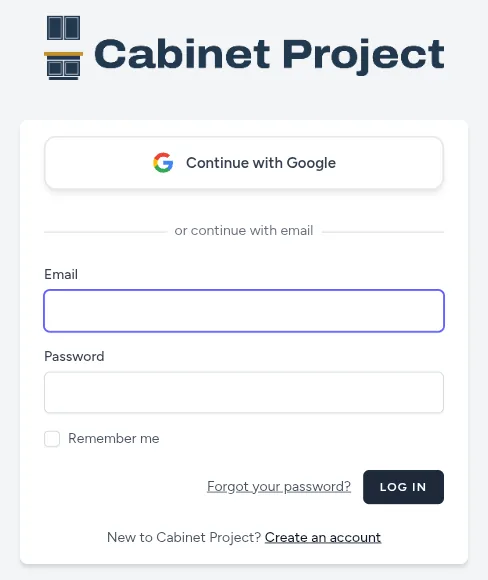
The sign-in page the assistant opens. Create an account is at the bottom. - On About your business, type your shop's name, choose the country, the state (required in the US) and the city, and tap Start free trial. Phone is optional. This starts your 14-day Pro trial; no credit card is needed.
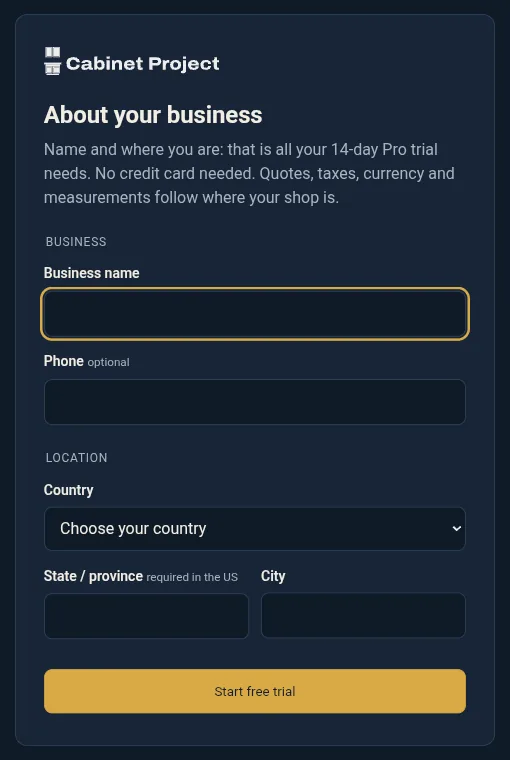
About your business: your shop's name and where it is. Taxes, currency and feet or meters follow the country you choose. - On Connect, check the e-mail under Signed in as and tap Allow. You are back in the chat, ready to ask.


A brand-new shop has no quotes or jobs yet, so the first answers will be short. Ask for a ballpark estimate right away, and draw your first kitchen in the Cabinet Project app with the same account (Google or e-mail).
From the estimate to your first quote: the estimate answer ends with a link, Open this estimate in the Cabinet Project app. Tap it and the app opens Quick estimate with the same line and the same feet filled in; sign in first if it asks, and you land back on it. Tap Estimate, then Use as quote lines, and the lines go into a quote you can name for the client and send. The link is valid for 2 hours; if it is older, the app opens the same screen after you sign in.
Another way: in an assistant that accepts a custom connector, add the address https://api.cabinetproject.app/mcp.
To disconnect, remove the connector in the assistant's settings. Access also ends when your Cabinet Project account is deleted or your role in the company is removed.
4. Your data
When you ask a question, the assistant receives only the answer to that question, such as a list of quotes or a job's status, and handles it under its own privacy terms (OpenAI for ChatGPT, Anthropic for Claude). Cabinet Project keeps the usual technical records of the request, as described in the Privacy Policy. Questions: Support.